
Common questions / sea + road
Questions worth answering before a load is planned.
Learn what Super Load Calculator uses, what the sample plans show, and which checks still belong to the loading team.
Getting started
 Getting started
What is Super Load Calculator?
Super Load Calculator is an application for planning how rectangular cargo could fit in containers and road equipment. Enter the cargo dimensions, weight, quantity and placement rules to calculate a proposed arrangement, equipment allocation, loading order and report. Check the plan against the actual cargo and equipment before loading.
Who is Super Load Calculator for?
It is useful to freight forwarders, shippers, warehouses, 3PLs, carriers, truckers and load planners who need to prepare or review container and trailer loads. The person responsible for a shipment must still verify its inputs and loading method.
Can I inspect a load plan before starting a trial?
Yes. Explore the public container example or trailer example to see the cargo inputs, calculated figures and loading-plan images. To calculate a plan for your own cargo, start a trial.
Do I need an account to calculate my own cargo?
Yes. Start the 30-day trial to enter your own cargo and calculate a plan. The current trial uses a company email address and does not ask for a payment card.
What information do I need to start a load plan?
Prepare each cargo type's length, width, height, weight and quantity. You should also know which pieces must stay upright, remain on the floor, avoid stacking or load in a particular order. Choose sea or road, then select equipment or let the application compare available types.
Can Super Load Calculator plan both sea and road loads?
Yes. Sea mode is for container planning; road mode is for trailer and truck equipment in the application's catalogue. The mode changes the equipment choices, planning objective and report.
How quickly can I calculate a plan?
Once the cargo and equipment choices are entered, the application calculates a proposed plan. Preparing accurate inputs and reviewing the result can take longer than the calculation itself, particularly for mixed cargo.
Can I change a plan after calculating it?
Yes. Change the cargo inputs, placement rules or equipment choice and calculate again. Review the new result rather than assuming that a small input change leaves the arrangement unchanged.
Equipment and cargo
Equipment and cargo
Which containers can Super Load Calculator plan?
Sea mode includes container choices such as dry, high-cube, reefer and open-top units. The current catalogue and usable dimensions appear in the application. Check them against the particular unit supplied, because equipment specifications vary.
Which road equipment can I plan with?
Road mode includes a standard 13.6 m EU trailer, a 13.6 m mega trailer and a 7.5 m rigid truck. Check the equipment choices in the application, then confirm the usable dimensions and payload of the vehicle you will actually load.
Can Super Load Calculator select equipment automatically?
Yes. Automatic mode compares allowed equipment combinations, including mixed types where applicable, against the cargo entered. Its built-in cost objective is a planning comparison, not a live freight quotation or proof that the suggested equipment is available to book.
Can I choose a specific container or trailer instead?
Yes. Select an equipment type when you already know what has been booked or supplied. Confirm that the actual unit matches the selected interior, door and payload figures.
Can I enter custom equipment dimensions?
The planner offers a custom-equipment option. Enter the actual usable dimensions and payload from a reliable equipment specification, then inspect the result against the delivered unit.
Can I allow extra space for dunnage and equipment irregularities?
Yes. A shrink allowance reduces the usable interior dimensions in the calculation, leaving room for real-world clearance. Set an allowance that fits your loading conditions, and check dunnage and securing needs with the loading team.
Does Super Load Calculator check whether cargo passes through the door?
The planner checks the selected equipment's door clearance as part of placement. It also checks the usable interior. Measure unusual openings, fittings and packaging rather than relying on a catalogue figure alone.
Does the planner account for cargo weight and equipment payload?
Yes. It uses each piece's entered weight and the selected equipment's payload limit when evaluating a plan. It does not replace gross mass declarations, legal road-weight checks or axle-load checks.
Can I mark cargo as non-stackable or floor-only?
Yes. The placement rules include stackability and floor-only handling. Apply them to each cargo type according to its packaging and handling instructions before calculating.
Can I keep a piece upright or set its loading priority?
Yes. Orientation and loading-priority settings influence the proposed placement and sequence. Use them to reflect actual handling requirements, then check the resulting plan with the loading team.
Can I limit the weight placed on top of a package?
Yes. A maximum top-load setting limits the weight the planner may place above a piece. Obtain that limit from the package or product specification; dimensions alone do not establish stacking strength.
Does Super Load Calculator plan drums, reels or other rounded cargo?
The current planning model places rectangular cargo. A rectangular approximation of a drum, reel or cylinder is not a validated physical stow or securing plan for that shape.
Plans, measurements and reports
Plans, measurements and reports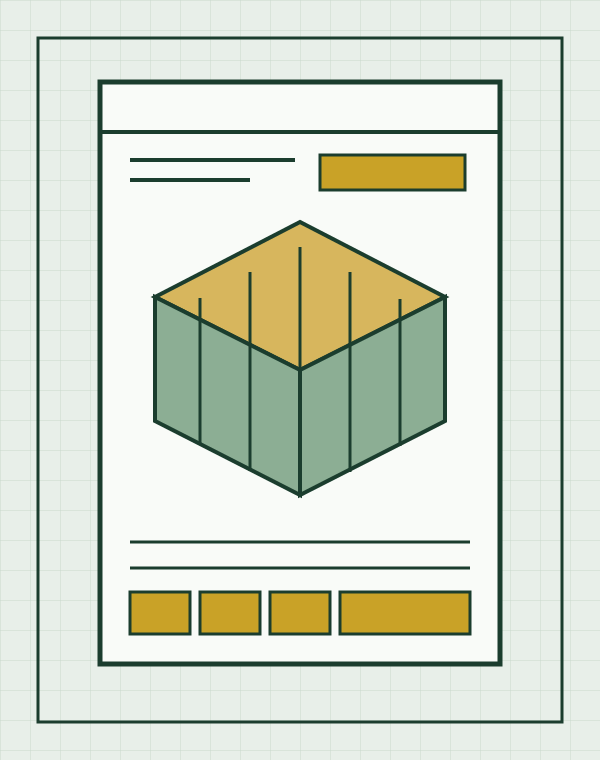
What does the 3D load view show?
It shows the proposed position of the entered pieces in the selected equipment. Use it to inspect the arrangement and discuss the load with the warehouse. It is a calculated view, not a photograph or physical inspection.
What does the loading sequence include?
The result gives numbered placement instructions for pieces in a calculated plan, including position information and running weight. The loading team must confirm that each step is possible with the access and handling equipment on site.
What is in the Super Load Calculator PDF report?
The PDF report brings together the cargo manifest, a drawing for each planned unit, the proposed loading sequence, utilisation figures and the stacking rules used. Review the exported report before passing it to your warehouse or transport partner.
What does volume utilisation mean?
It compares the entered cargo volume with the selected equipment's usable volume for the proposed plan. A high percentage does not establish that the pieces are secure, accessible or practical to handle.
What does floor coverage tell me?
Floor coverage describes how much of the available floor area is occupied in a particular plan. It is separate from volume use and payload use; review all three along with the actual placement.
What are loading metres in a trailer plan?
Loading metres express the length of trailer floor used by the proposed arrangement. They help describe space used, but do not establish axle balance, securing or legal road weight.
What happens if a cargo piece cannot be placed?
The result identifies unplaced cargo and reports a reason such as insufficient height, payload, door clearance or support. Recheck the input and rules before changing equipment or packaging.
Can one calculation use more than one container or trailer?
Yes. The planner can allocate cargo across multiple units when the cargo or equipment selection requires it. Review the contents and loading sequence of every proposed unit separately.
Does Super Load Calculator always find the best packing arrangement?
No. It searches for a workable arrangement under the entered rules; it does not guarantee the globally best packing. Compare alternatives when a booking or operational decision depends on small differences in utilisation.
Will identical cargo inputs produce the same plan?
With the same cargo, rules, equipment and application version, the planner is designed to produce the same result. A change to any of those inputs or to the application version may change the arrangement.
Can I save a plan for later review?
The planner includes Save and Open controls for returning to a plan. If others will rely on it for loading, export the report and confirm that your account will retain access for as long as you need it.
Safety and operational checks
Safety and operational checks
Is a calculated load plan a guarantee that everything will fit?
No. The calculation depends on the entered dimensions, weights, handling rules and equipment data. Verify the physical cargo, packaging, door opening, usable interior, payload and loading conditions before committing to the plan.
Does Super Load Calculator calculate cargo securing or lashing?
No. It plans placement and loading order; it does not calculate restraint forces, lashing arrangements or compliance with cargo-securing requirements. A qualified person must determine how the load will be secured.
Does the container loading calculator check weight distribution?
Super Load Calculator uses entered cargo weights and equipment payload limits when proposing container and trailer loads. That does not establish balanced weight distribution. It does not calculate axle loads or centre of gravity, or replace a weight-distribution assessment. Review the proposed positions and arrange the separate weight-distribution, securing and road-weight checks needed for your shipment.
Does it simulate forklift access or every loading manoeuvre?
No. The planner does not simulate forklift paths, lifting clearances or every physical manoeuvre. The loading team must confirm that the sequence can be carried out safely at the site.
Can a plan replace the shipper’s or carrier’s checks?
No. Responsible parties still need to verify cargo information, packaging, equipment condition, actual weights, securing, route requirements and the loaded result.
Can I use a load plan as a dangerous-goods compliance check?
No. A load plan is not proof of dangerous-goods segregation, documentation or transport compliance. Apply the rules for the goods, equipment and route separately.
What if my actual container or trailer differs from the catalogue dimensions?
Confirm the actual interior, door, fittings and usable payload. Revise the selected equipment or plan before loading if those differ from the values used in the calculation.
Does the public container example prove a real shipment is safe?
No. The example uses synthetic rectangular cargo in a container. The displayed result placed 48 of 48 pieces, used 89.3% of volume and covered 93.3% of the floor. It demonstrates a planning output, not a securing calculation or an inspection of actual cargo.
Does the public trailer example prove a real road load is compliant?
No. The trailer example uses synthetic cargo and a selected 13.6 m EU trailer. Its calculated result is a planning example; axle loads, road limits, cargo securing and the actual vehicle still require separate checks.
Trial, subscriptions and support
Trial, subscriptions and support
How long is the Super Load Calculator trial?
The Super Load Calculator trial lasts 30 days. You can start it from the trial page, where the current signup terms are shown.
How many pieces can I include in a trial calculation?
You can enter up to 50 pieces per calculation during the current trial. Check the trial page for the latest limits before you sign up.
Do I need a payment card for the trial?
The current 30-day trial says no card is required.
Do trial reports carry a mark?
Yes. Reports and drawings exported during the trial carry a trial mark. Review the document before sharing it with a customer or loading team.
Are paid subscriptions available now?
Paid subscriptions are planned, but pricing and the start date have not been announced. You can use the 30-day trial now to assess the planner, or contact us about future access.
Can reports use my company’s logo and colours?
The 30-day trial produces reports with a trial mark. Reports with your company branding are planned for paid subscriptions, but subscription access and timing have not been announced. If branded reports are important to your workflow, ask us about availability.
How do I ask a question about my use case?
Use the contact form. Explain the type of equipment and planning question without sending unnecessary confidential cargo details.
How is my cargo data handled?
Review the application’s Privacy Policy for its current data handling terms. Use the marketing contact form if your organisation has specific privacy or retention questions.