

3D container
load planning.
Super Load Calculator is a browser-based container loading calculator and 3D load planner for mixed-size rectangular cargo. Enter packed dimensions, gross weights, quantities and handling rules, then review a proposed arrangement, numbered loading sequence and PDF report.
A real plan to inspect.
Explore a container loading plan generated from synthetic rectangular cargo. Inspect the proposed 3D arrangement and the reported utilisation before starting your own plan.
Inspect the sample container load plan ↗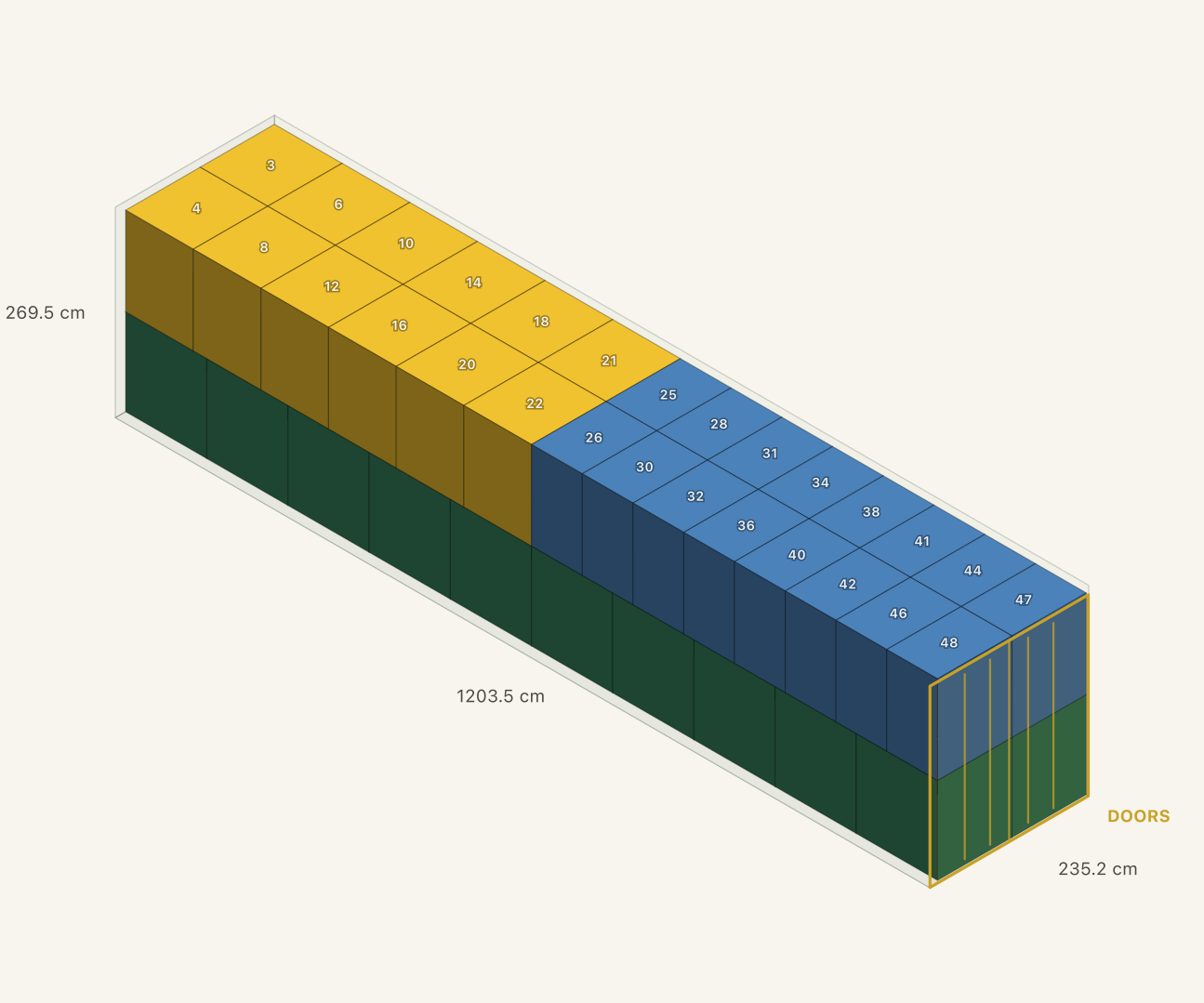
Will mixed-size cargo fit in a container?
A combined CBM figure cannot answer that alone. Super Load Calculator tests a proposed arrangement of the rectangular pieces you enter against equipment dimensions, door clearance, payload and placement rules. Review which pieces are placed and which remain unplaced.
Use one cargo row for pieces with the same packed size, gross weight and handling rules. Cartons, rectangular crates and palletised loads can have different sizes in the same calculation. Include the pallet, wrapping and overhang in the outer dimensions.
How does automatic container selection work?
Select a 20ft, 40ft or high-cube container when you know the equipment you will use, or choose automatic mode to compare allowed equipment combinations. The planner can allocate mixed cargo across multiple units and offers custom equipment dimensions.
Check the actual unit’s usable interior, clear door opening and payload against the catalogue or custom values before relying on the result. Automatic selection uses built-in planning costs; it is not a live freight quote, booking check or guarantee of the lowest possible cost.
Can I keep cargo upright or stop stacking?
Set orientation, non-stackable and floor-only rules for each cargo type. Specify a maximum top-load weight when the packaging permits stacking, and use loading priority to reflect your handling requirements.
A shrink allowance reduces the usable interior dimensions to leave clearance. Enter limits from packaging instructions and the actual loading conditions; the calculator cannot infer stacking strength, dunnage needs or fragile surfaces from a box’s dimensions.
What should I check in the 3D load plan?
Inspect where each piece is proposed to sit, its orientation and support, and any unplaced pieces and reported reasons. Review volume use, floor coverage and payload separately. A high utilisation percentage does not establish that the load can be handled or secured.
If a piece is unplaced, first check its dimensions, weight and rules before changing the equipment. Recalculate after an input change and review the new arrangement.
Does the software give a loading sequence?
Yes. The calculated plan includes numbered placement instructions with position information and running weight. Use the sequence alongside the 3D view to review the handover with the loading team.
Check doorway access, handling equipment and the space needed to place each item. The planner does not simulate forklift paths or every physical manoeuvre, so the numbered sequence needs a site review.
Can I export the container plan as a PDF?
Yes. The PDF brings together the cargo manifest, a drawing for each planned unit, the proposed loading sequence, utilisation figures and the stacking rules used. Review quantities and equipment details before sharing it with the warehouse or transport partner.
Current trial reports carry a trial mark. Make sure the report matches the latest cargo inputs and recalculate when the cargo or equipment changes.
What does this container planner not calculate?
The current model places rectangular cargo. It does not calculate cargo securing or lashing, axle loads or every loading movement. Rounded drums and reels need a separate assessment; enclosing them in a box does not validate their physical stow.
A calculated arrangement is a proposal, not a guarantee of globally optimal packing. Confirm the packed cargo, supplied equipment and operational requirements before loading.
Is there a free container loading calculator trial?
Yes. Create an account with your company email for the free 30-day trial to calculate your own cargo. The current trial allows up to 50 pieces per calculation, requires no payment card and marks exported reports as trial copies. The public sample needs no account; check the trial page for current signup terms.